GEPCO Online Bill Check – View & Download Duplicate Bill Easily 2026
Sometimes the paper bill does not arrive due to delivery issues, and many users lose their electricity bill before the payment date. People also want to check the last date to pay the bill so they can avoid late payment surcharges. In some cases, a duplicate electricity bill is also required for office records or proof of address.
This is where the GEPCO online bill check becomes useful. You can easily find your bill details, download, and print a duplicate bill by simply entering your 14-digit reference number or 10-digit customer ID.
Access Your GEPCO Bill Details Online
You can view your bill right before the due date. You can check your bill instantly right after meter readings, and you can also check how many units you consumed. This will save you from additional costs and help you to view your bill right before the due date.
How to Check GEPCO Bill Online? (Step-by-Step Guide)
There are several ways to check your GEPCO bill online. Follow the step-by-step guide to check your bill online easily:
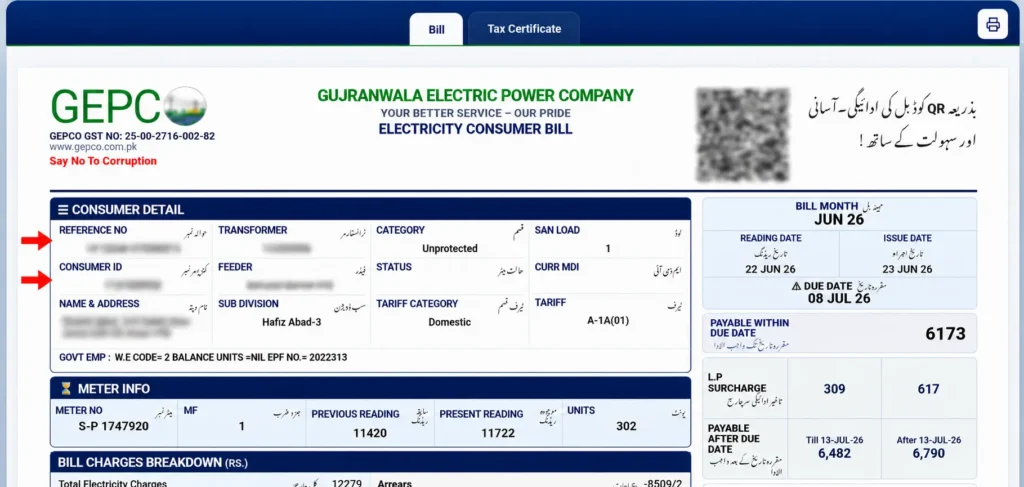
Find the 14-digit Reference Number or 10-digit Customer ID
You can find your reference number or customer ID in the top left section of the bill. If you don’t know where to find it, see the red-highlighted area as shown in the picture.
Enter the Reference Number or customer ID
Now, in the input field, enter your reference number or customer ID as shown in the image.

Click on the button “Check Bill”
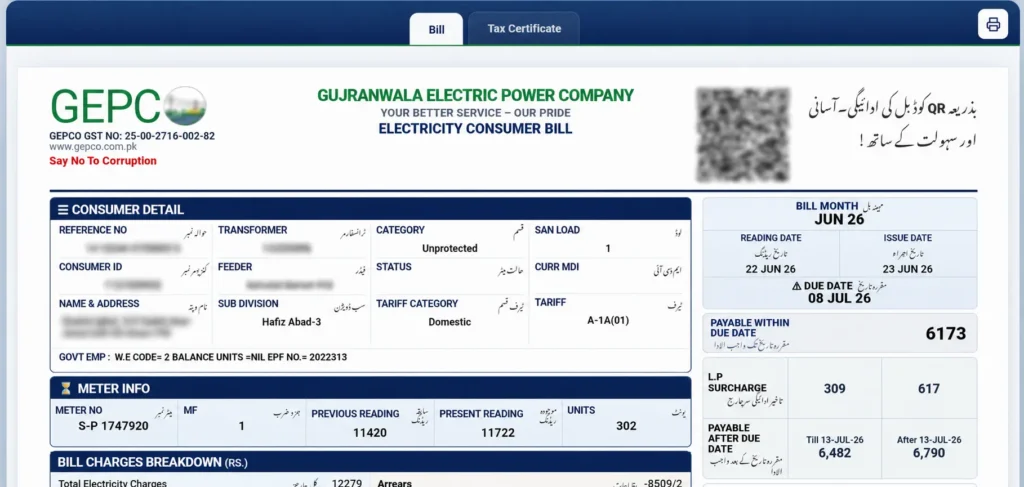
Click on the check button, and the bill will appear on your screen. Now you can download and print your bill copy.

Get a copy of your Duplicate Bill
After successfully viewing your bill, you can easily download it, and you can also view your GEPCO tax certificate.
View Bill on Mobile App
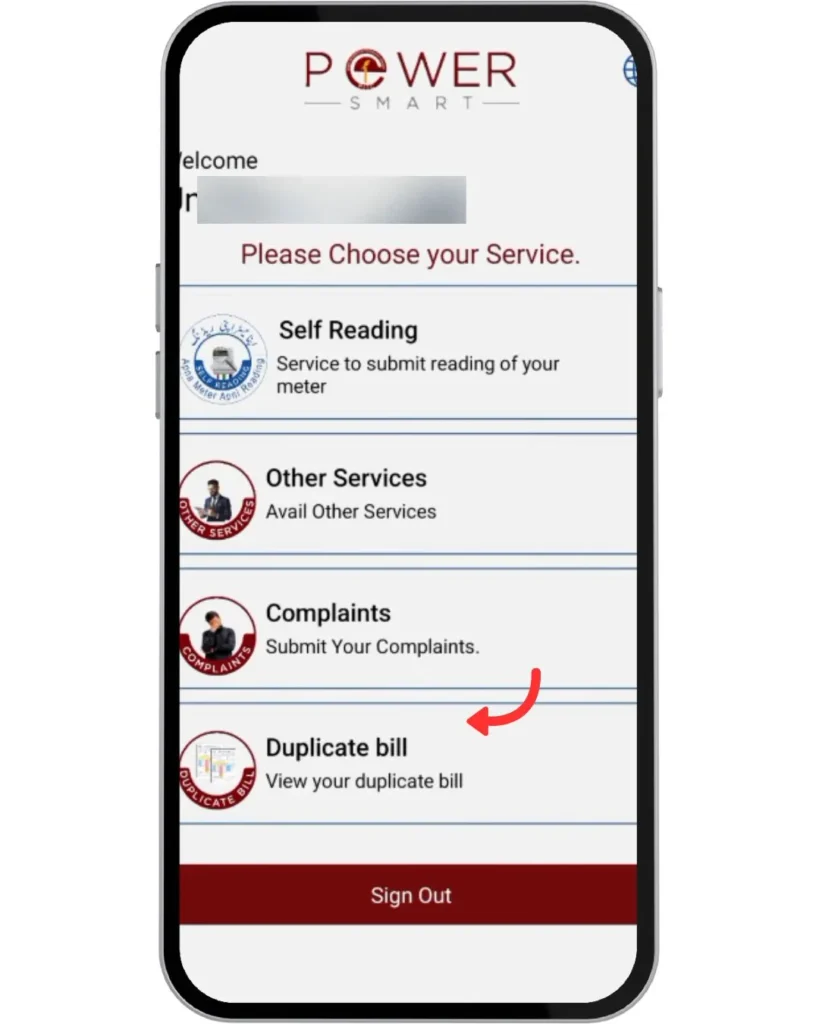
To view your bill through the official GEPCO app, go to the Play Store and download the Power Smart app. Open the app and click on “Duplicate Bill” to view your bill.
Registration By CNIC or Mobile Number
Follow the steps below for registration:
- Visit the CNIC registration page on the official GEPCO website.
- Enter all mentioned details, i.e., (reference number, name, CNIC without dashes, and cell number)
- Click on register/Save
That’s it, you will be successfully registered.
Many users wonder what the benefits of registration will be. Check the benefits listed below:
- Accurate Billing & Digitalization
- Quick Complaint Resolution
- Convenient Information Access
- Easier Online Management
- Theft Prevention & Support
- Support for Multiple Accounts
- meter reading information directly on your mobile or email.
How to Pay GEPCO Bill Online?
GEPCO online bill payment can be done easily using several simple methods. There are multiple convenient ways to pay your bill online.
- You can pay through digital apps like Easy Paisa, Jazz Cash, Upaisa, Udhaar Book, or Kuickpay.
- You can also pay through mobile banking apps like UBL, HBL, and myABL by selecting the Utility bill option.
GEPCO Bill Overview
It is a monthly document detailing electricity consumption in kWh for residential, commercial, and industrial users in Gujranwala. After getting your bill, you can view everything like electricity consumption, number of units consumed, cost of electricity per unit, and tax details. There is also a due date mentioned on the bill, and if you submit your bill after the due date, a fine will be applied to your bill.
Electricity Bill Information
Consumer information
It includes the consumer’s number and the residential address of the consumer.
GEPCO Charges
It shows the unit consumed and the cost of the billing for the current month.
Govt Charges
It shows the duties, taxes, and surcharges displayed on your bill.
Billing Period
The duration of the bill is paid.
Current Charges
It shows the electricity used during the billing period.
Due Date
Due date refers to the date by which the bill must be paid before the due date.
Total Charges
It includes the amount of electricity used, including Fuel Price Adjustment and other taxes.
Other Charges
Reading, billing, amount, and due date are included in other charges.
Taxes on Your GEPCO Bill
When you view your GEPCO bill, there are several taxes and charges also mentioned on your bill. Here is a list of common taxes you see on your bill:
- Electricity duty (1.5%)
- General Sales Tax (17%)
- Income Tax (PKR 50)
- TV License Fee (PKR 35)
- Fuel Price Adjustment (Varies monthly depending on fuel prices)
- Neelum Jehlum Surcharge 1%
- Financing Cost Surcharge 0.1%
- Quarterly Tariff Adjustment (QTA) (Varies (announced quarterly))
GEPCO Tax Certificate
The GEPCO Tax Certificate 2026 is an important document for individuals and businesses using electricity services under Gujranwala Electric Power Company (GEPCO). It provides official details of the taxes deducted from your electricity bills, which are required when filing income tax returns or claiming tax adjustments and exemptions.
For complete information and step-by-step guidance, visit our detailed GEPCO Tax Certificate page.
GEPCO Online Bill Calculator
The GEPCO Bill Calculator helps customers estimate their electricity bill based on the number of units consumed. It allows users to calculate an approximate bill amount before the official bill arrives. To check your estimated charges, you can use the online GEPCO bill estimation tool.
Tips to Save Electricity and Lower Your GEPCO Bill
Below are practical and effective ways to save electricity at home:
Avoid Peak Hours
Do not use high electricity consumption appliances between 7:00 PM and 11:00 PM, as rates are usually higher during these hours. Shift heavy usage to late night or early morning.
AC Management
During summer, set your AC temperature at 26°C or higher to reduce electricity usage. Clean AC filters regularly so it works efficiently and consume less power.
Use Inverter ACs
Inverter ACs adjust power according to room temperature and consume less electricity compared to traditional AC units.
Turn Off Extra Lights
Switch off the lights in rooms that are not in use. Make it a habit to check before leaving any room.
Adjust Your Thermostat
Set your heating or cooling system to energy-saving temperatures. Even a small adjustment can lower your electricity bill.
Use Energy-Efficient Appliances
Choose appliances with energy-saving ratings. They use less electricity while providing the same performance.
Use Natural Light
Open curtains and windows during the day to reduce the need for artificial lighting.
Change Ordinary Bulbs into LEDs
LED bulbs use much less electricity and last longer than traditional bulbs, helping reduce monthly costs.
Insulate Your Home
Proper insulation keeps your home cool in summer and warm in winter, reducing the need for excessive heating or cooling.
Unplug Devices When Not in Use
Electronics still consume power even when turned off. Unplug chargers, TVs, and other devices to avoid unnecessary energy usage.
GEPCO Peak Hours Schedule
Managing your electricity usage according to GEPCO’s peak, off-peak, and normal hours can help you save on your bill. Avoid using heavy appliances during peak hours and shift energy-intensive tasks to off-peak periods whenever possible.
Time Slot | Type |
|---|---|
6:30 PM – 10:30 PM | Peak Hours |
10:30 PM – 6:30 AM | Off-Peak |
6:30 AM – 6:30 PM | Normal |
How to Get a New Connection from GEPCO?
If you want to apply for a new GEPCO electricity connection, you can easily submit your application through the official Electricity New Connection (ENC) System. The online system allows you to apply, upload documents, and track your connection request without visiting a GEPCO office.
You can also apply manually by visiting your nearest GEPCO office and submitting your application to the concerned department. If you have purchased a property where the meter is registered under the previous owner’s name, you must follow the same procedure to request a GEPCO name change or connection transfer.
For complete details about required documents, application fees, processing time, and step-by-step instructions, visit our detailed GEPCO New Connection Guide page.
Once your connection is approved, make sure to pay your GEPCO bill on time. You can conveniently check and download your GEPCO bill online anytime from our website.
About GEPCO
GEPCO (Gujranwala Electric Power Company) is a public electricity distribution company operating in Punjab, Pakistan. Established in 1998, it is responsible for supplying electricity to Gujranwala and surrounding districts, including Sialkot, Gujrat, Narowal, Hafizabad, and Mandi Bahauddin.
The company manages power distribution for over 3 million consumers, including domestic, commercial, industrial, and agricultural users. GEPCO focuses on providing reliable electricity, maintaining distribution infrastructure, and improving billing and customer services.
Areas Under GEPCO
The Gujranwala Electric Power Company (GEPCO) Limited supplies electricity and manages distribution services in the following districts under its coverage area:
DISTRICTS | SUB DISTRICTS (GEPCO Online Bill Check Areas) |
|---|---|
Gujranwala | Gujranwala, Gujranwala Rural |
Hafizabad | Hafizabad, Pindi Bhattian, Sukheke, Jhalpur Bhattian |
Narowal | Narowal, Shakargarh, Zafarwaal |
Mandi Bhauddin | Mandi Bhauddin, Phalia, Malakwal |
Gujrat | Gujrat, Khairiyan, Sarai Alamgir, Dinga, Lala Musa, Jalalpur, Jatan, Kunjah |
Sialkot | Sialkot, Pasrur, Sambrial, Daska |
If your area is listed above, you can easily check your GEPCO electricity bill (bijli ka bill) or view your WAPDA bill online.
These are the main regions covered, but you can access this service from anywhere in the world.
Customer Service Information
GEPCO provides 24/7 customer support to assist its consumers. If you face any issue, you can contact your respective district helpline number.
GEPCO Customer Support
Below is the list of GEPCO helpline numbers for assistance in each service area:
Service Centre Name | GEPCO Helpline Number | Office Location |
|---|---|---|
GEPCO HQ | 055-9200505 | GEPCO HQ, 565-A, Model Town, GT Road, Gujranwala |
Gujrat | 053-9260290 | GEPCO Complex, G.T Road, Gujrat |
Sialkot | 052-9250693-94 | GEPCO Colony, Shahabpura Road, Sialkot |
Narowal | 0542-412666 | 132 KV Grid Station Narowal |
Hafizabad | 0547-523421 | 3PGQ+R7H, Gujranwala Rd, Chak Chatha, Hafizabad |
Mandi Bahauddin | 0546-509822 | JF2M+M4F, Bypass, Pindi Bahauddin, Mandi Bahauddin |
How to Register Complaints about GEPCO?
If you are facing a power outage, billing issue, meter problem, or any other electricity-related concern, GEPCO provides multiple easy ways to register your complaint. The GEPCO helpline complaint system operates 24/7 and also allows you to track your request.
Ways to Submit a GEPCO Complaint:
Helpline (Call or SMS)
- Call 118 to speak with the Customer Contact Centre.
- Send an SMS to 8118 with your complaint details or reference number.
Email Support
- Send your complaint to [email protected] with complete details.
Online Complaint Portal (CCMS)
- Visit the Customer Complaint Management System (CCMS) portal to register and track your complaint online.
Emergency / Crisis Contact (Head Office)
For urgent matters, you may contact the GEPCO Head Office Crisis Management Cell at:
- 055-9200515
- 055-9200504
- 055-9200592
If your issue is not resolved through regular channels, you can escalate the matter by emailing the Head of Quality & Assurance at [email protected].
Note that when submitting a complaint, keep the following details ready:
- Your name and contact number
- 14-digit reference number (printed on your electricity bill)
- Clear description of the issue (e.g., load shedding, wrong bill, faulty meter)
You can also contact your nearest GEPCO sub-division office for area-specific problems.
GEPCO’s complaint system ensures quick response and proper tracking so consumers can get timely assistance.
GEPCO Meter Reading System
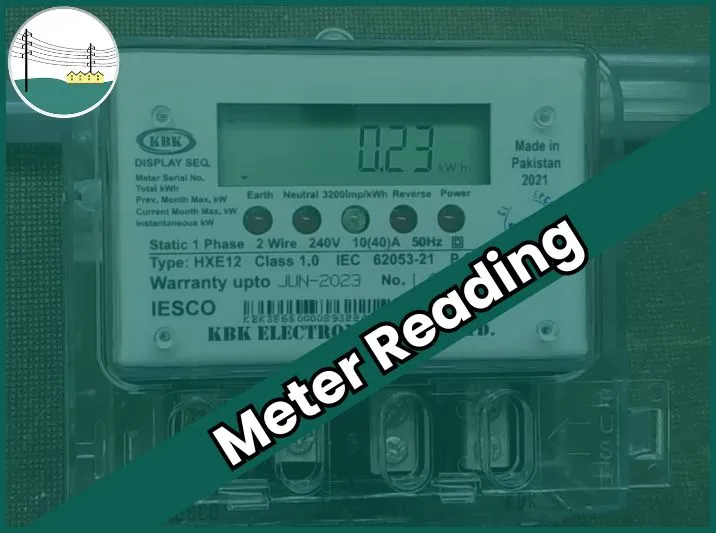
GEPCO provides a meter reading and e-billing service to keep consumers informed about their electricity usage. After the monthly meter reading is taken, you can receive your current reading details through SMS or email before your bill is issued. This helps you understand how many units you have consumed and manage your electricity usage better.
How to Subscribe to GEPCO Meter Reading Service
You can subscribe to the meter reading (e-billing) service using two simple methods:
Registration via SMS
- Open the messaging app on your mobile phone.
- Type your 14-digit reference number (without spaces or dashes).
- Send it to 8118.
Once registered, you will receive meter reading updates on your mobile during each billing cycle.
Registration via Website
- Visit the official GEPCO website.
- Select the service option (SMS, Email, or Both).
- Enter your reference number.
- Provide your mobile number (e.g., 923001234567 format).
- Enter your email address and submit the form.
After successful registration, you will start receiving meter reading notifications regularly.
GEPCO Net Metering System
GEPCO offers a Net Metering System that allows consumers to generate electricity using solar panels installed at their homes or businesses. With this system, you can use solar energy for your own needs and send any extra (surplus) electricity back to the national grid.
When your solar system produces more units than you consume, those extra units are adjusted in your electricity bill as credits. These credits help reduce your overall bill amount and may even lower it significantly, depending on your energy production.
Through the GEPCO billing system, consumers can easily monitor their electricity usage, solar production, and net units. This makes it simple to track how much energy you consumed from the grid and how much you supplied back.
The GEPCO Net Metering system is a smart solution for:
- Reducing electricity bills
- Using clean solar energy
- Contributing surplus power to the grid
You can visit the official GEPCO website www.gepco.com.pk for detailed eligibility criteria, required documents, and the application process.
GEPCO Green Metering System
GEPCO has introduced the Green Meter System to improve billing accuracy, transparency, and energy efficiency. These advanced meters record your electricity consumption more precisely, helping reduce billing errors and ensuring that units consumed and taxes are calculated correctly.
Green meters also support solar consumers under the net metering framework. They measure:
- Electricity taken from the grid
- Electricity supplied back to the grid (if you have solar panels)
- Total net units for billing calculation
By using green meters along with the online bill checking system, consumers can monitor their energy usage trends and manage their electricity expenses more effectively.
Key Features, Benefits, and Working of GEPCO MIS
GEPCO uses a modern Management Information System (MIS) to improve electricity services and customer support. This system helps the company manage records, billing, and complaints more efficiently using updated technology.
Key Features
- Centralized data management
- Enhanced online bill checking system
- Real-time monitoring of electricity distribution
- Integrated customer service and complaint handling
Benefits
- Accurate billing and reduced errors
- Faster complaint resolution
- Improved communication between departments
- Better transparency for consumers
- Increased customer satisfaction
How It Works
The GEPCO MIS collects meter readings and service data, processes the information centrally, and generates bills and reports automatically. This system ensures smooth operations and reliable electricity services across all covered areas.
Benefits of Checking GEPCO Bill Online
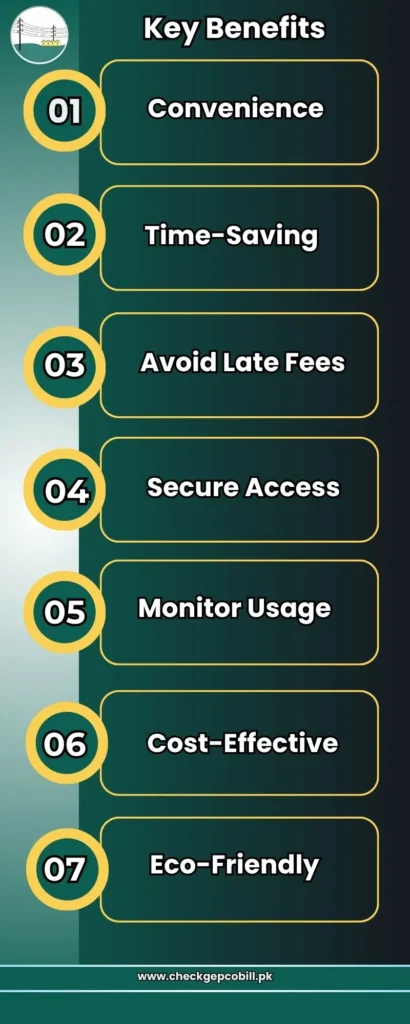
Checking your GEPCO bill online is a simple and smart way to manage your electricity expenses. It saves time and gives you full control over your payments. Here are the key benefits:
- Convenience – Check your (bijli bill) anytime, anywhere without visiting an office.
- Time-Saving – Instantly view and download your bill within seconds.
- Avoid Late Fees – Stay updated and pay on time to prevent extra charges or penalties.
- Secure Access – Your billing information is safely available online.
- Monitor Usage – Track your electricity consumption and manage your units wisely through GEPCO Old Bill Check to understand your past usage.
- Cost-Effective – No extra charges for GEPCO online bill check or downloading your bill.
- Eco-Friendly – Reduces paper usage by using digital copies.
Online bill checking makes electricity management easier, faster, and more reliable for GEPCO consumers.
Frequently Asked Questions (FAQs)
Conclusion
The GEPCO online bill check service makes it easy to view, download, and manage your electricity bill anytime. Consumers can stay updated about due dates, monitor usage, and avoid late payment charges.
With convenient payment options and reliable complaint support, GEPCO’s online services help make electricity bill management simple, fast, and stress-free.