GEPCO Old Bill Check – View History & Previous Month Bills
Knowing details of how much electricity you consumed in past months helps you to manage electricity consumption, which will help you to save your money, but getting those details from a physical receipt is a very hectic process.
GEPCO offers an online solution to its customers, enabling them to easily view their old bills, which helps them save time and effort.
How to check your GEPCO bill history online?
The official GEPCO bill page displays a 12-month billing history, including previous bill amounts, units consumed, payment status, and outstanding balance. However, it does not provide a dedicated GEPCO old bill check feature to view, download, or print complete duplicate copies of old electricity bills. If you need to verify previous bill payments, you can check your transaction history in banking apps. Some third-party applications and unofficial websites may also maintain bill records, but their availability and accuracy cannot be guaranteed.
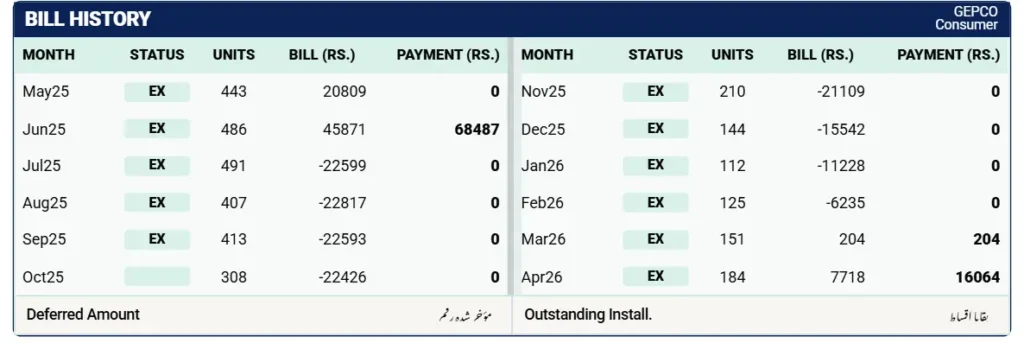
Note: You can only view your past bill history through these apps or services if you have used them before for GEPCO online bill payment or bill viewing. If you have never used them in the past, your previous billing history may not be available there.
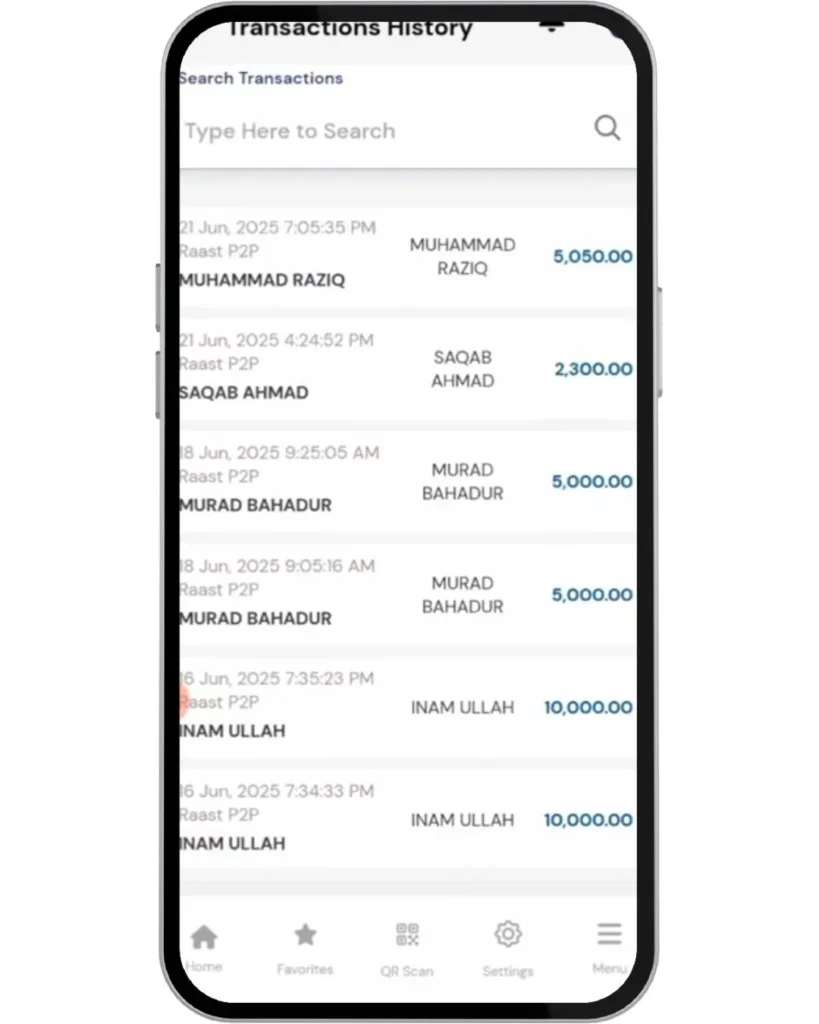
Bank Apps
Many banking applications allow users to view past transactions and bill payments. For example, you can open the Allied Bank (myABL) app and navigate to the “Bill Payments” or “Transaction History” section to check your previous electricity bills.
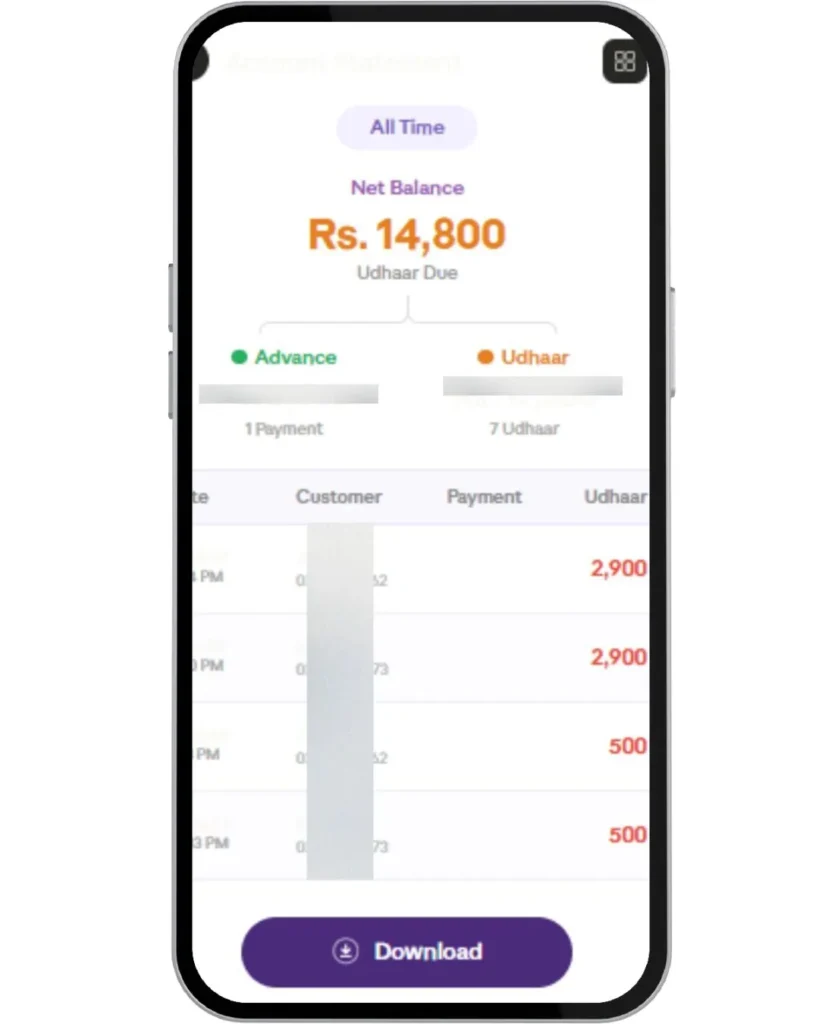
Third-Party Apps
You can also use third-party applications like Udhaar Book, which store your billing records and allow you to view your electricity bill history in one place.
Non-Official Websites
Some non-official sites like iescobill.pk/old-bill-history allow you to view your past bill history. Every time you check your bill on their website, they store it on their local server so that you can access your old bills. Simply enter your reference number, select the company, and click on check records.
Why should you check your GEPCO bill history?
Checking your bill history is essential to keep track of your electricity charges, taxes, and any billing increases over time. It also helps in identifying errors, resolving disputes, and managing payments efficiently to avoid extra charges.
If you are using net metering, reviewing your bill history becomes even more important. It allows you to verify that your solar export units (kWh) are correctly credited, check applicable tariff rates, and detect any issues that may lead to incorrect billing.
Benefits of Monitoring Bill History
Monitoring your GEPCO bill history provides several important advantages that can help consumers manage their electricity usage more effectively. Some key benefits are listed below:
-
Budget Management
It helps you understand your electricity consumption patterns and manage your usage more efficiently, which can reduce unnecessary costs.
-
Error Detection
Regularly reviewing your bills allows you to identify any billing errors or unexpected charges and take timely action to resolve them.
-
Tariff Awareness
You can check your tariff category and understand how it impacts your billing, helping you plan your future electricity expenses.
-
Traditional vs Smart Meter Comparison
It enables you to compare the performance and cost differences between traditional meters and smart meters (such as AMI), giving you better insight into your energy usage.
Checking GEPCO Bill History via Mobile Apps
There are several official and non-official mobile applications that allow users to check their GEPCO electricity bills conveniently. Some of the commonly used apps are listed below:
-
GEPCO Smart App
The GEPCO Smart App is an official application developed by PITC and available on the Play Store. It allows users to check their electricity bills and basic details. However, based on user feedback on the Play Store, its rating is relatively low (around 2.0 out of 5).
-
Power Smart App
Power Smart is another official application developed by PITC, available on both Android and iOS platforms. It offers similar features for bill checking. Its rating is slightly better than the GEPCO Smart App, with approximately 2.9 out of 5 on the Play Store.
-
Electricity Bill Viewer
This is a non-official app that allows users to check their electricity bills easily. It is available on the Play Store and IOS and has a higher user rating (around 4.5 out of 5), indicating a better user experience.
-
Banking Apps
Many banking apps, such as Allied Bank and HBL, also provide features to view and pay electricity bills and their rating (around 4.8 out of 5). These apps are generally more reliable and secure for managing bill payments and transaction history.
Tips for Efficient Energy Management
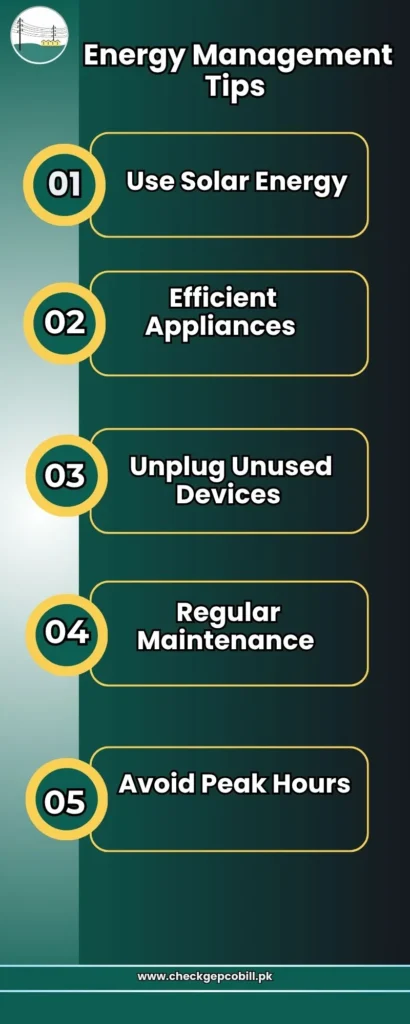
Adopting simple energy management practices can help you reduce electricity consumption and avoid unnecessary charges. Some effective tips are listed below:
-
Use Solar Energy
Installing solar panels can significantly reduce your electricity costs by generating your own power and lowering dependence on the grid.
-
Use Energy-Efficient Appliances
Switch to energy-saving bulbs, LED lights, and energy-efficient appliances that consume less electricity and help lower your monthly bill.
-
Unplug Unused Devices
Turn off and unplug lights, chargers, and appliances when they are not in use to prevent unnecessary power consumption.
-
Regular Maintenance
Keep your electrical appliances well-maintained to ensure they operate efficiently and do not consume excess energy due to faults or poor performance.
-
Avoid Peak Hours
Try to limit the use of high-power appliances such as air conditioners, irons, and washing machines during peak hours to reduce your electricity costs.
Tips for Organizing and Analyzing Your Bill History
Keeping your bill records organized helps you track your expenses and analyze your electricity usage more effectively. Some practical tips are listed below:
Use a Centralized System
Store all your bills in one place, either in a folder on your computer/mobile or in a physical file, so you can easily access them when needed.
Use Digital Apps for Bill Tracking
If you frequently use digital or banking apps, they automatically maintain a record of your bill payments in an organized transaction history.
Maintain Excel or PDF Records
You can also create your own record using Excel sheets or save bills as PDF files. This method is widely used for keeping data structured and easy to analyze over time.
Understanding the Details of Your Bill History
Your bill history includes several important details that help you understand your electricity usage and charges. The billing cycle shows the monthly meter reading dates, while the units consumed indicate how much electricity you have used during that period. You can also compare previous and current readings to analyze changes in your consumption.
In addition, the bill contains information about payments, taxes, tariff rates, and fixed charges. Reviewing these details regularly helps you better understand your billing pattern and identify any unusual changes.
If you want to check your current bill online, you can use our GEPCO duplicate bill tool.
Common Issues with Accessing Bill History
Users may face several common issues while trying to access their GEPCO bill history. Some of these problems are listed below:
-
No History Found
In many cases, users try to perform the GEPCO Old Bill Check for bills older than 12 months. However, most banking apps, third-party platforms, and online services usually provide access to only the last 12 months of billing records.
-
Incorrect Information
Entering an incorrect reference number or details can prevent the system from retrieving your bill history. Always double-check your information before searching.
-
Portal Downtime
Sometimes the website or mobile app may not work properly due to maintenance or server issues. In such cases, try again after some time or update your app if required.
-
Delayed Updates
New users or recently generated bills may not appear immediately in the system, which can cause a delay in viewing billing history.
-
Download or PDF Issues
Users may face problems while downloading bills due to broken links, browser issues, or temporary system errors.
-
Access or Login Issues
Some platforms may require proper login credentials. Entering incorrect login details or lacking permissions can restrict access to bill records.
-
System Maintenance
Temporary system maintenance by service providers can also limit access to billing information for a short period.
Contact GEPCO Customer Support
GEPCO provides multiple customer support options to assist consumers with their queries and issues. You can use the following methods to get help:
Call or SMS
You can call 118 or send an SMS to 8118 for general assistance and complaint registration.
Complaint Center
Contact the GEPCO complaint center at 055-9200592 or 055-920054 for further support.
Visit Nearest Office
You can also visit your nearest GEPCO office to get in-person assistance regarding billing or connection issues.
Frequently Asked Questions (FAQs)
Conclusion
It’s very easy nowadays to view your bill history as you have many options online available, like digital apps, unofficial sites, or banking apps, which make customer life very easy and save time.