How to Get GEPCO Tax Certificate in 2026?
Many electricity consumers are not aware that a portion of tax is deducted from their monthly GEPCO bill. When it comes to filing income tax returns or showing proof of tax payments, they often struggle to find a proper record of these deductions.
To solve this, GEPCO provides an online tax certificate that shows your electricity-related tax details for a specific financial year. This certificate helps you verify your tax payments, claim deductions, and complete your FBR tax return process easily without any confusion.
What is a GEPCO Tax Certificate?
A GEPCO (Gujranwala Electric Power Company) tax certificate is an official document that shows the amount of taxes, such as income tax, GST, and withholding tax, collected through your electricity bills during a specific financial year. GEPCO is registered under a GST number with the Federal Board of Revenue (FBR), and these taxes are submitted to FBR on behalf of the consumer.
Steps to Get GEPCO Tax Certificate Online
Before accessing your GEPCO tax certificate, first check whether it is available or not.
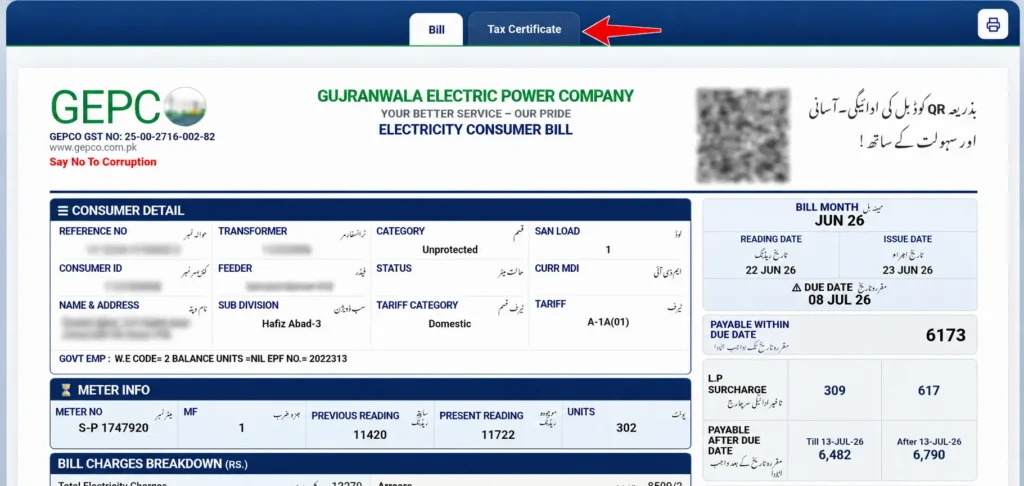
Step 1: Check if the Tax Certificate Is Available
After checking your bill using the GEPCO online bill check tool, click on the Tax Certificate option available at the top of the bill.
If it shows: “Tax Certificate Not Found! Tax Certificate is available only for those consumers from whom Income Tax has been deducted in electricity bill.” This means no income tax was deducted, so you cannot download a certificate. In this case, no further steps are needed.
Step 2: Visit the Official Website
If your certificate is available, visit the official website of Gujranwala Electric Power Company.
Step 3: Open the Tax Certificate Page
Go to the Income Tax / GST section.
Step 4: Enter Your Reference Number
Enter your 14-digit reference number from the bill. Double-check digits to avoid errors.
Step 5: View Tax Certificate
Click submit/search. Your GEPCO tax certificate details will appear on the screen. You may be able to save or print the page using your browser.
Who Needs a Tax Certificate?
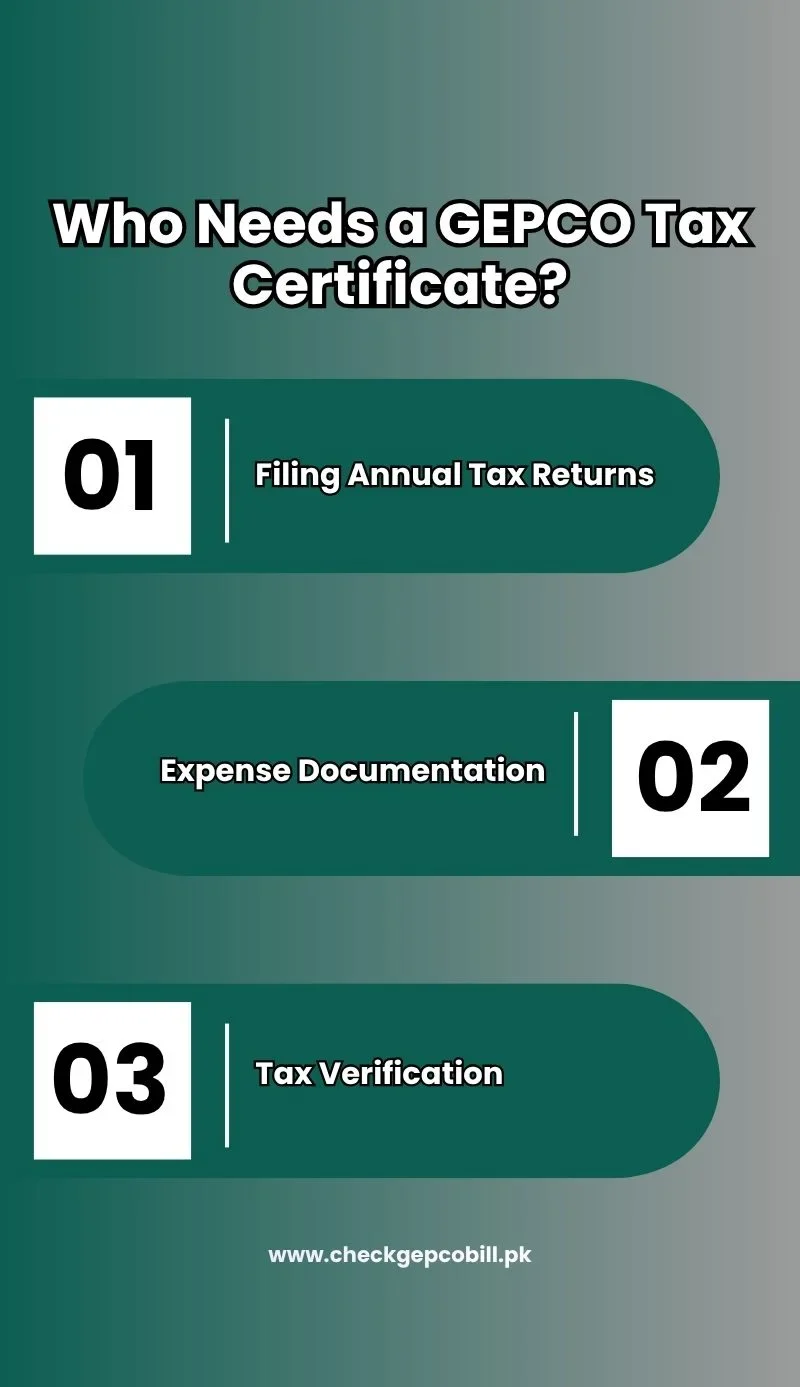
When you view your bill online, there is 2 options appears on top. One is Bill, and the other is a Tax Certificate.
The main purposes of this certificate include:
Filing Annual Tax Returns
It helps you report paid taxes when submitting your annual tax return and can assist in avoiding penalties or claiming any eligible tax refunds.
Expense Documentation
The certificate provides a record of electricity-related tax payments, which can be used for documentation and deduction purposes.
Tax Verification
It allows the FBR to verify that the applicable taxes (such as withholding tax or GST) have been paid within the relevant period.
Alternative Ways to Get a Tax Certificate
If you are facing any difficulties while getting the GEPCO tax certificate online, then you can follow alternative methods:
- Visit your nearest GEPCO customer service or subdivision office
- Contacting the GEPCO helpline by calling 118 or Submit complaint on 8118
- Send written email to [email protected]
What Charges and Taxes Are Included in GEPCO Electricity Bills?
Your GEPCO electricity bill contains two main sections: GEPCO Charges and Government Charges.
GEPCO Charges
These are the costs charged directly by GEPCO for providing electricity:
- Units Consumed – Number of electricity units used
- Cost of Electricity – Price per unit of electricity
- TV Fee – Applicable if subscribed
- Meter Rent / Fixed Charges – Fixed monthly charges for meter and service
- Fuel Price Adjustment (FPA) – Adjustment based on fuel cost changes
- Service Rent – Charges for maintaining the electricity service
- F.C Surcharge / Qtr Tariff Adj / DMC – Minor adjustments to bill
Government Charges
These are the taxes and government-imposed charges added to your bill:
- GST (General Sales Tax)
- Income Tax (IT / Withholding Tax)
- Extra Tax (ET)
- Further Tax
- S. Tax / Retailer S. Tax
- Electricity Duty (ED)
These appear under the “Government Charges” section of your bill and are sent to the relevant government authorities.
Information and Documents Required Before Getting GEPCO Tax Certificate
To get your GEPCO tax certificate, you may need the following:
- 14-digit reference number
- Copy of previous electricity bills (for verification)
How to Calculate GEPCO Withholding Tax from Electricity Bills?
To calculate withholding tax on your electricity bill, you need to understand a few important factors that affect the total amount. These include tax applicability, billing thresholds, filer vs. non-filer rates, and the method used to calculate the tax.
Your tax status (filer or non-filer) plays a key role, as non-filers are usually charged a higher tax rate. The applicable tax is calculated based on specific billing limits defined by the authorities.
For a quick and easy estimate, you can use our GEPCO bill calculator tool to calculate your electricity bill along with applicable taxes in seconds.
Common Problems and How to Fix Them
Tax Data Doesn’t Match the Certificate
Sometimes the tax amount on the certificate is different from your actual electricity bill. Collect your last 12 months’ bills and either visit your nearest GEPCO office, call 118, or send an SMS to 8118 to submit a complaint.
Unable to Download Certificate Online
If you can’t download your tax certificate, it might be because the 14-digit reference number was entered incorrectly. Keep in mind that tax certificates are only available for consumers who have had Income Tax deducted from their electricity bills.
Wrong Name or CNIC on the Certificate
Occasionally, your name or CNIC may be printed incorrectly on the tax certificate. You can report this by calling 118, sending an SMS to 8118, or visiting your nearest GEPCO office.
Incorrect Tax Rate Applied (Filer vs. Non-Filer)
Sometimes the wrong tax rate is applied, especially for filers or non-filers. Don’t worry, you can correct it by calling 118, sending an SMS to 8118, or visiting the GEPCO office.
Delay in Issuing the Tax Certificate
At times, accessing the tax certificate for the current fiscal year may take longer, which can delay early filing. According to GEPCO guidelines, if your local office can’t provide the certificate, you can verify your bills and taxes through the Complaint Redressal Cell (CRC).
GEPCO Website Not Loading
If the GEPCO website is slow or not opening, check your internet connection. Make sure it is stable and working properly before trying again.
Frequently Asked Questions (FAQs)
Final Words
Getting your GEPCO tax certificate is easy and fast. Just use your reference number on the GEPCO website, and you can download it right away. This makes it simple to keep track of your taxes and file your returns without going to the office.