GEPCO Bill QR Code Scanner Scheme – Complete Guide for Protected Consumers
High electricity bills have become a serious problem for many households in Pakistan. Many people are losing subsidy benefits without even knowing that QR code verification is now important for protected consumers.
The Cross Subsidy Program uses a digital QR verification system through the official CSS PITC portal, allowing eligible users to confirm subsidy details online without visiting any office. In this guide, you will learn how the scheme works, who can apply, and how to avoid higher electricity rates.
How to Scan the GEPCO QR Code
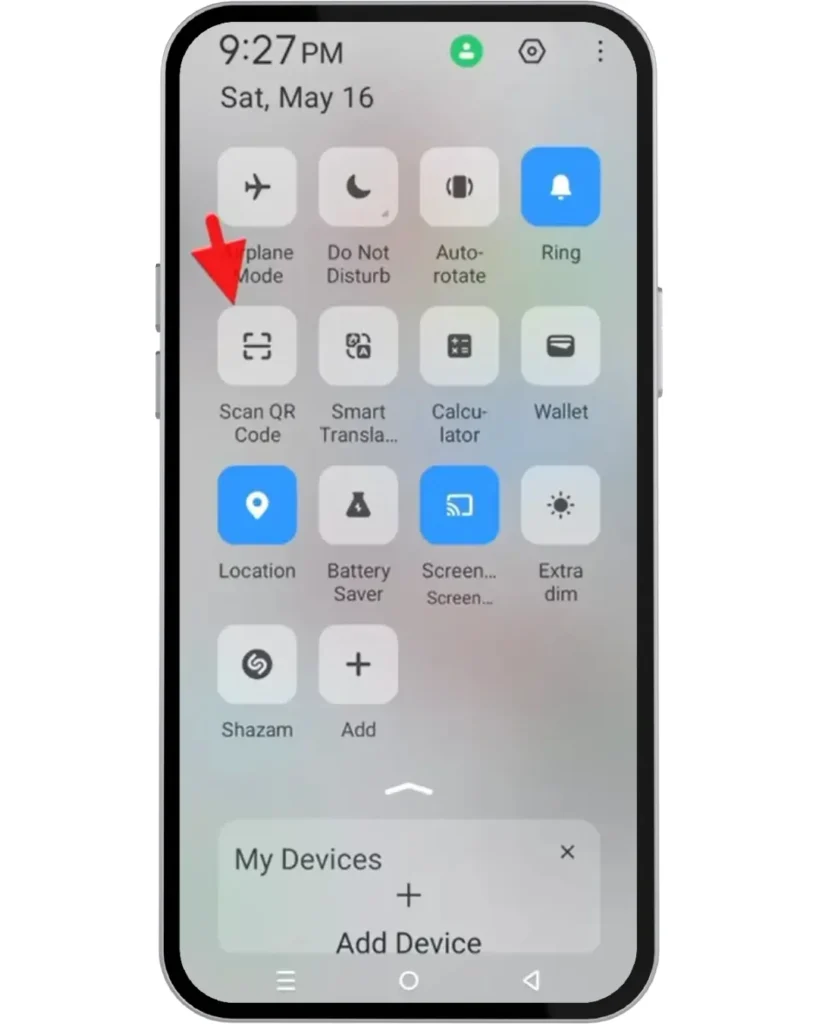
Open QR Code Scanner on Your Phone
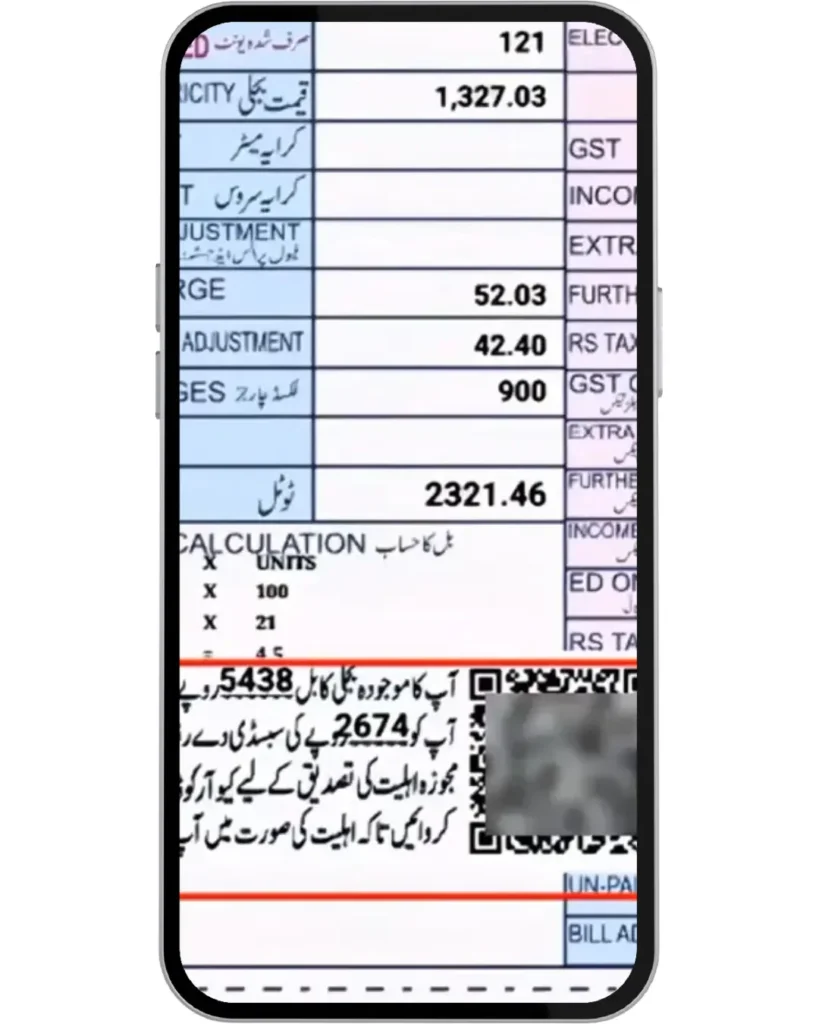
Scan the Subsidy QR Code Printed on Your Bill (Not the Payment QR)
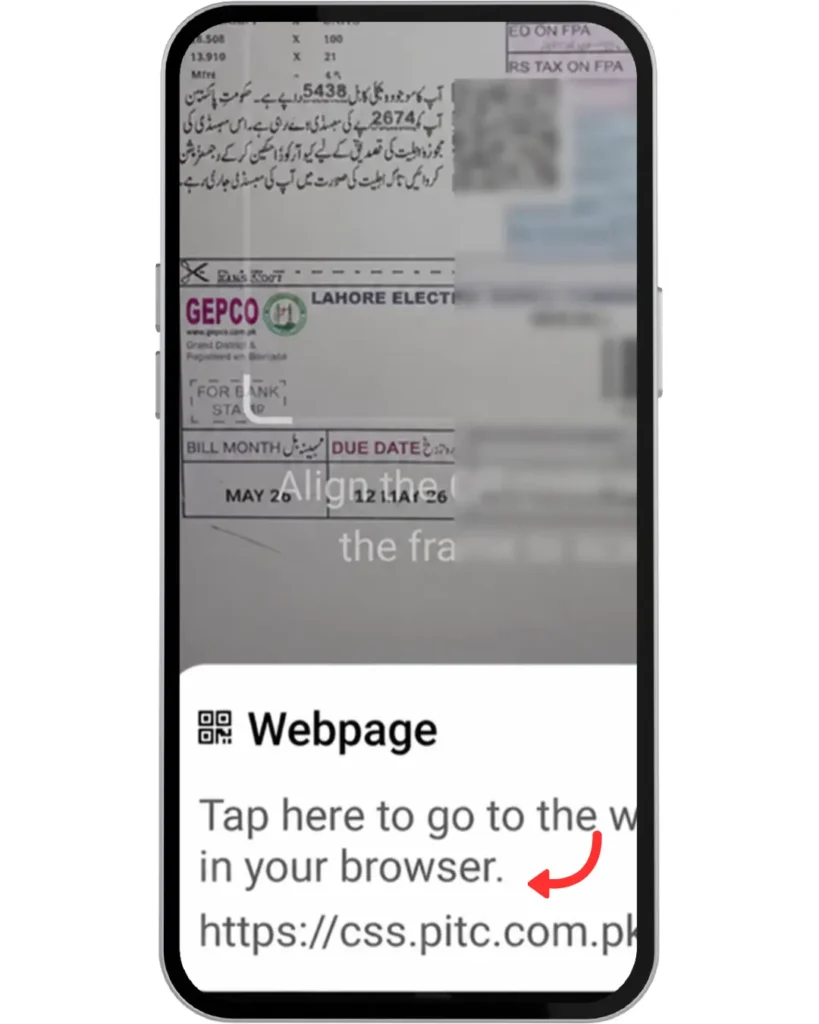
Open the Registration Link
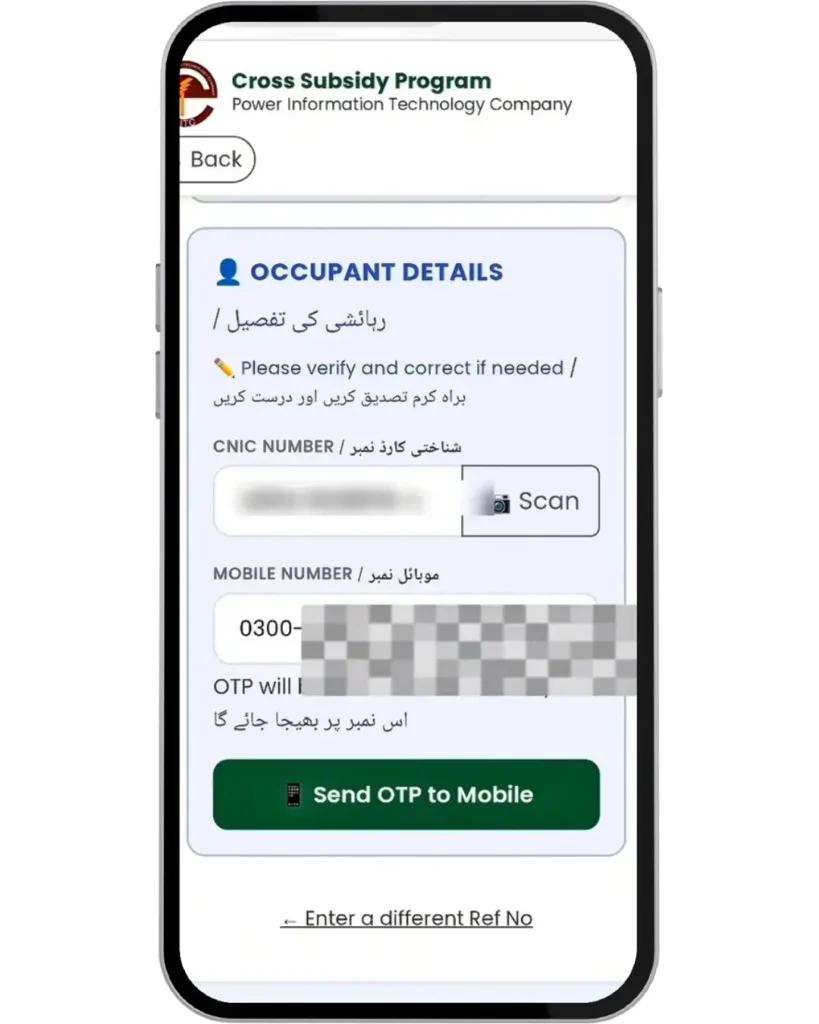
Submit Required Information
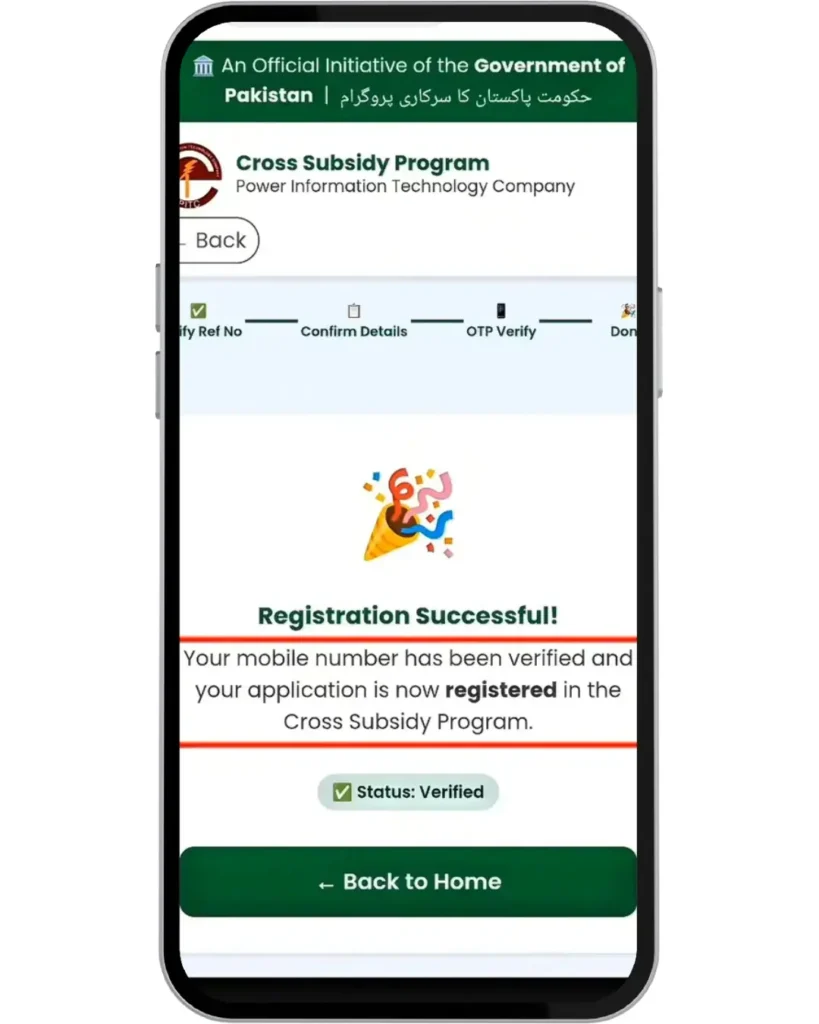
Confirmation Message
Why Did the Government Introduce QR Code Registration?
The government of Pakistan introduced the Electricity Relief Program 2026. The government added this scheme to avoid misuse of cross subsidy program. This scheme will help customers who consume less than 200 units per month.
The QR code will be mentioned on your bill. You can scan it to verify your eligibility for this program.
How to Check If You Are Eligible
Step 1: Check your bill. You can also check your bill online via the GEPCO online bill check.
Step 2: Look for the QR code mentioned on the bill. (Note: This will only be available if you consumed less than 200 units).
That’s it! Simple if you see the QR code, that means you are eligible; if you do not see the QR code, it means you consumed more than 200 units.
Who Can Apply for This Scheme?
Only the users mentioned below can apply for this scheme:
- People consuming less than 200 units
- Domestic users only
- Protected consumers
Who Cannot Apply for This Scheme?
- Commercial meter users using more than 200 units
- High electricity consumption users
- Non-protected consumers
What You Need Before Starting Registration
- Latest electricity bill (QR Code mentioned)
- Your CNIC number
- Reference number or Consumer ID
- Active mobile SIM
- Stable internet connection
What Happens If you do not Verify Your Bill by scanning the QR Code?
If you are a protected customer and have consumed less than 200 units and have not scanned the QR code, you will be disqualified from the electricity relief program. You must scan and register the first time the QR code appears on the Bill.
If you do not scan the QR code, it will not appear next time, and your unit price will be increased from 14 rupees per unit to 30 rupees per unit or more if you live in a commercial area.
Tips to Avoid Problems
Follow the tips below to avoid common QR verification and OTP issues during the subsidy verification process:
- Scan the bill immediately
- Verify portal URL to check if its official source
- Never share your OTP
- Avoid Fake Links or website only use the official PITC portal
- Use a clear internet connection
- Keep the reference number and consumer number ready
- Do not wait till due date
Benefits of This Scheme
This scheme is very helpful for poor and low-income families who cannot afford high electricity bills. Below are the benefits mentioned:
- Lower electricity rates
- Around 14 rupees per unit for protected consumers
- Non-registered users may pay 30+ rupees per unit
- Relief for low-income families
- Helps domestic users
- Reduced monthly electricity burden
- Encourages people to save electricity units
Common Issues Users Face During Registration
As this scheme is newly launched, many peoples facing common issues mentioned below:
QR Code Not Working
If the QR code is not scanning, first install a QR code scanner app from the Play Store or App Store if you are using an iPhone (iOS). Clean your mobile camera properly and try scanning again. Also make sure the QR code is clearly visible on the electricity bill and not damaged or blurry. For better scanning results, use your phone in a bright area with proper lighting.
OTP Not Received
If you are not receiving the OTP, first check your mobile signals because weak network signals can delay SMS messages. Wait for 1 to 2 minutes, and if the OTP still does not arrive, click on the “Resend OTP” option. Also ensure that your SIM card is active and able to receive messages.
Incorrect Consumer Information Error
This error usually appears when the entered details do not match the official records. Make sure you entered the correct CNIC number without mistakes. Also verify that your mobile number is correct and active because it should be able to receive the OTP verification message.
Website Down or Slow
If the website is loading slowly or not opening, first make sure your internet connection is stable and working properly. Sometimes the website server may be temporarily down due to heavy traffic or maintenance. In this situation, wait for some time and try again later.
Frequently Asked Questions (FAQs)
Final Words
If you are eligible for this scheme, make sure to scan the QR code and complete verification as early as possible. Delays can cause problems or even disqualification from protected electricity rates.
Try to keep your monthly electricity usage below 200 units to continue receiving lower rates and subsidy benefits. Also, check every monthly bill carefully because your eligibility and tariff category can change depending on your electricity consumption.