GEPCO Online Bill Payment 2026 – Pay Bills Using Apps, Banks & ATMs
Sometimes, visiting a physical location for bill payment is not possible, especially if you are living abroad or have a busy schedule. Many users also find it difficult to pay their GEPCO bill using traditional offline methods.
To solve this, GEPCO provides both online and offline payment options. Whether you are in any part of the world or new to the process, you can easily pay your bill anytime, from anywhere.
Overview of GEPCO Bill Payment Methods
You can pay your GEPCO electricity bill through multiple convenient methods listed below:
All commercial banks
All post offices
Retail shops
Mobile banking and digital apps (e.g., Allied Bank, Udhaar Book)
EasyPaisa
NADRA collection points
1Link network
ATMs
Note: GEPCO does not currently offer bill payment through its official website. You can use the methods listed above to complete your payment.
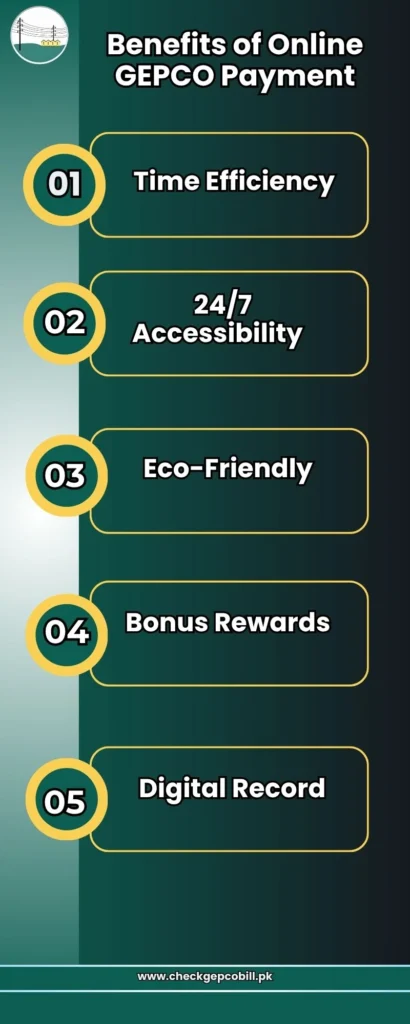
Benefits of Paying Your GEPCO Bill Online
-
Time Efficiency
Online bill payment is fast and secure, saving customers time compared to waiting in long queues.
-
24/7 Accessibility
Unlike offices that operate during specific hours (e.g., 9 AM to 6 PM), online payment methods are available anytime, whether you are at home or at work.
-
Eco-Friendly
Digital payments reduce the use of paper, making the billing process more environmentally friendly.
-
Bonus Rewards
Some banking apps offer rewards or cashback on bill payments. For example, services like HBL Konnect may provide benefits to their users.
-
Digital Record
Online apps help maintain a record of your payment history. GEPCO Old Bill Check helps you view and manage your past bill details for future reference. For example, apps like Udhaar Book store your bill details for future reference.
Details of GEPCO Bill Payment Options
Given below are the main GEPCO online bill payment options explained in detail. Each method offers a convenient way to pay your electricity bill based on your preference. You can choose the option that best suits your location and ease of access.
GEPCO Bill Payment Through Commercial Banks & Post Office
You can pay your GEPCO electricity bill by visiting any nearby commercial bank using a credit card. Most major banks in Pakistan facilitate bill payments, making this method simple and reliable.
Popular banks include:
Habib Bank Limited (HBL)
United Bank Limited (UBL)
Bank Alfalah
Faysal Bank
National Bank of Pakistan (NBP)
MCB Bank
Bank AL Habib
Allied Bank
Meezan Bank
Alternatively, you can also pay your bill at a post office using cash or a cheque. Make sure to carry a printed copy of your bill when making the payment. After completing the transaction, you will receive a payment receipt as proof of payment.
GEPCO Bill Payment Through ATM
You can also pay your GEPCO electricity bill using an ATM, which is a quick and convenient option available at most bank branches. This method allows you to complete your payment without visiting a counter.
To proceed, insert your ATM card and enter your PIN. Navigate to the “Bill Payment” or “Utility Bills” section, then select “Electricity” and choose GEPCO as your service provider. Enter your reference number or consumer ID to locate your bill and confirm the payment.
Once the transaction is completed, the ATM will provide a receipt as proof of payment.
Mobile Banking & Digital Wallets
GEPCO (Gujranwala Electric Power Company) has made bill payments easier for consumers by supporting smart digital wallets and mobile banking applications. Users can conveniently complete their bill payments and other financial transactions without visiting a physical location.
Some of the commonly used digital wallets and mobile banking apps are listed below:
- myABL Mobile Banking App
- Udhaar Book
- EasyPaisa
- JazzCash
- SadaPay
- NayaPay
Paying via Specific Banks
You can also pay your GEPCO bill through the most popular banking apps mentioned below:
Meezan Bank Bill Payment
To pay your bill by using the Meezan app, you can simply log in to your Internet Banking account and select ‘Bills & Top-ups’. Select the utility Bill and then select GEPCO to pay your bill by entering your reference or consumer ID.
Allied Bank Limited Bill Payment
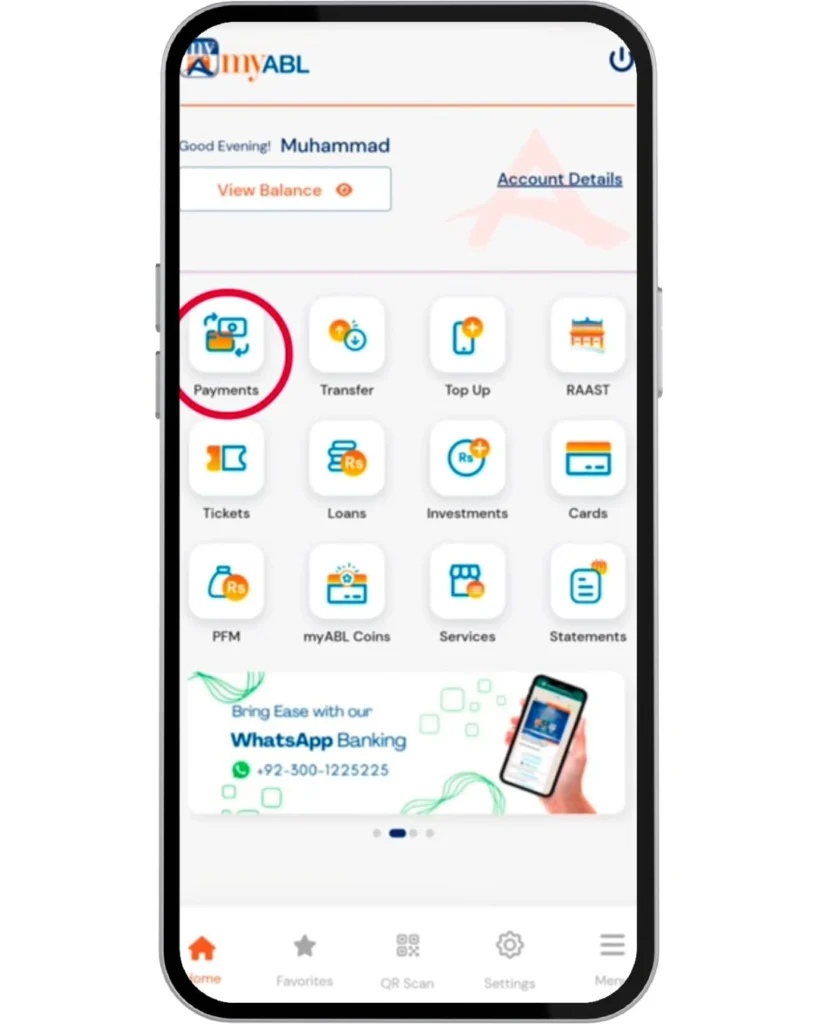
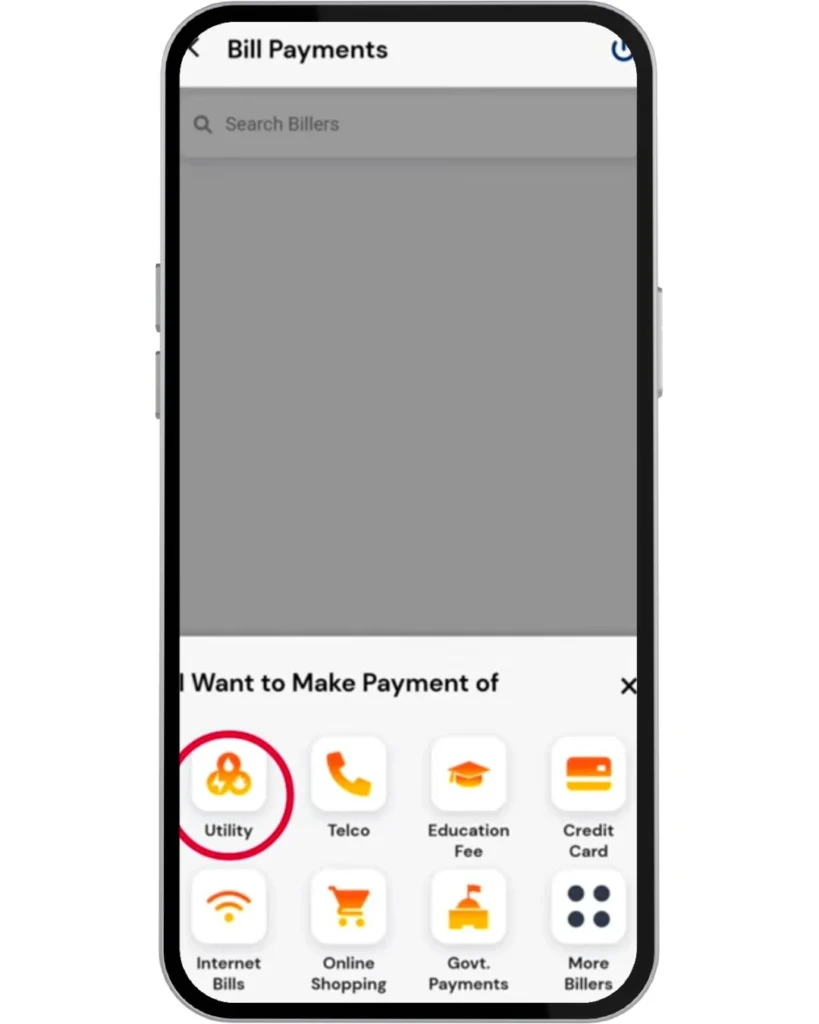
Open myABL mobile banking app and log in to your account. Tap on payments and select the utility category. Select GEPCO and enter your reference or consumer ID, and pay your bill.
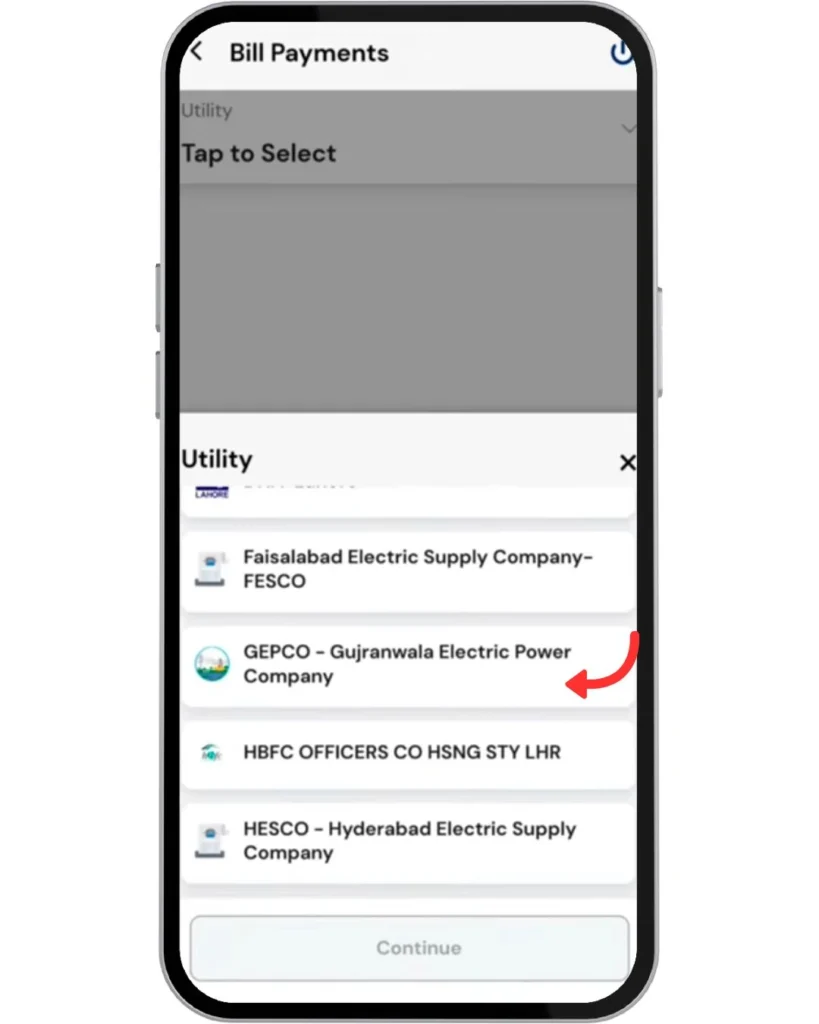
UBL (United Bank Limited) Bill Payment
Log in to the UBL Digital App and go to bill payments and select the utility bills section. Select Electricity and then click on GEPCO, and then enter your reference or consumer ID and pay your bill.
Safety Tips for Online Bill Payments
- First check bill through GEPCO online bill check tool.
- Use a secure internet connection for GEPCO online bill payment; don’t use public hotspots or Wi-Fi.
- Always save your payment receipts to keep as proof.
- Regularly check bank statements after paying your bill to verify transactions.
- Pay your bill before the due date to avoid extra charges.
- Keep updating your apps to avoid any bugs during the bill payment process.
Frequently Asked Questions (FAQs)
Conclusion
So, whether you want to pay your bill online or you want to pay your bill traditionally, GEPCO provides both options methods with a very easy procedure, so you can pay your bill on time and avoid extra charges and taxes.